ServiceNow Point Pioneer Application
Video Demo
Flow Chart
Description: Point Pioneer is a point system application that is configured and automated through different server-side scripts. Points are collected for incident and problem resolutions, and badges can also be created and awarded for certain point values. Badges are displayed on the homepage through scripted widgets. Users can add themselves and leaderboard records for users are automatically created through record producer.
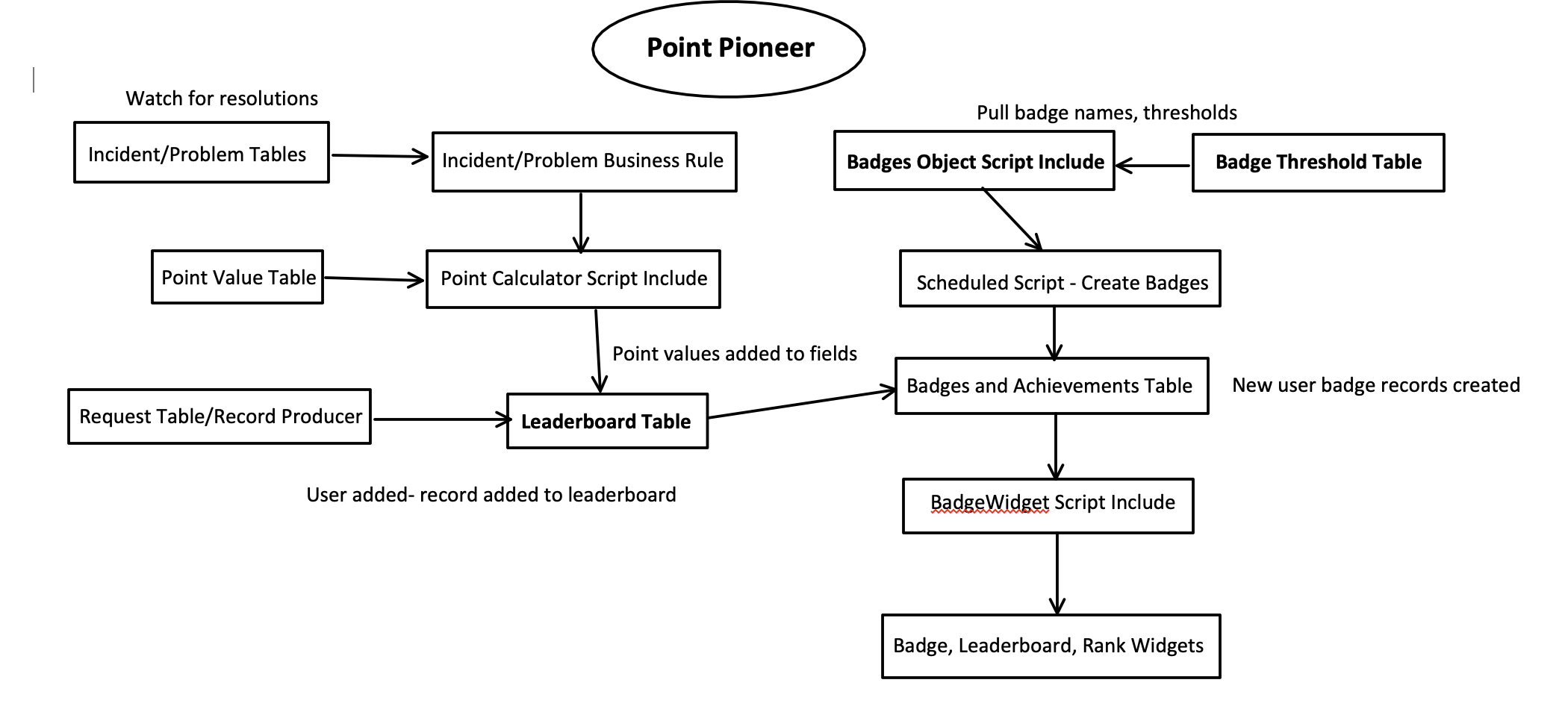
Application Tables
Leaderboard Table
Description: This table stores records for each user's points, incident and problem resolutions, etc. Fields are updated through business rules watching Incident and Problem Tables for user resolutions and using GlideRecord through the Point Calculator Script Include to update the correct leaderboard record.
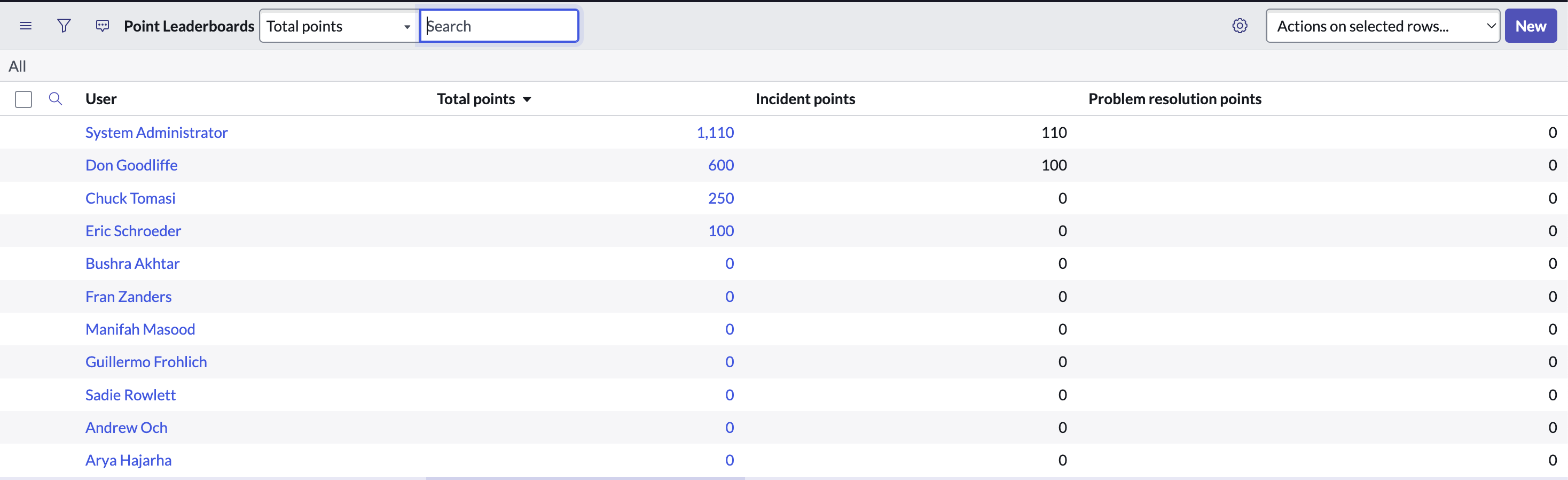
Leaderboard Records Examples
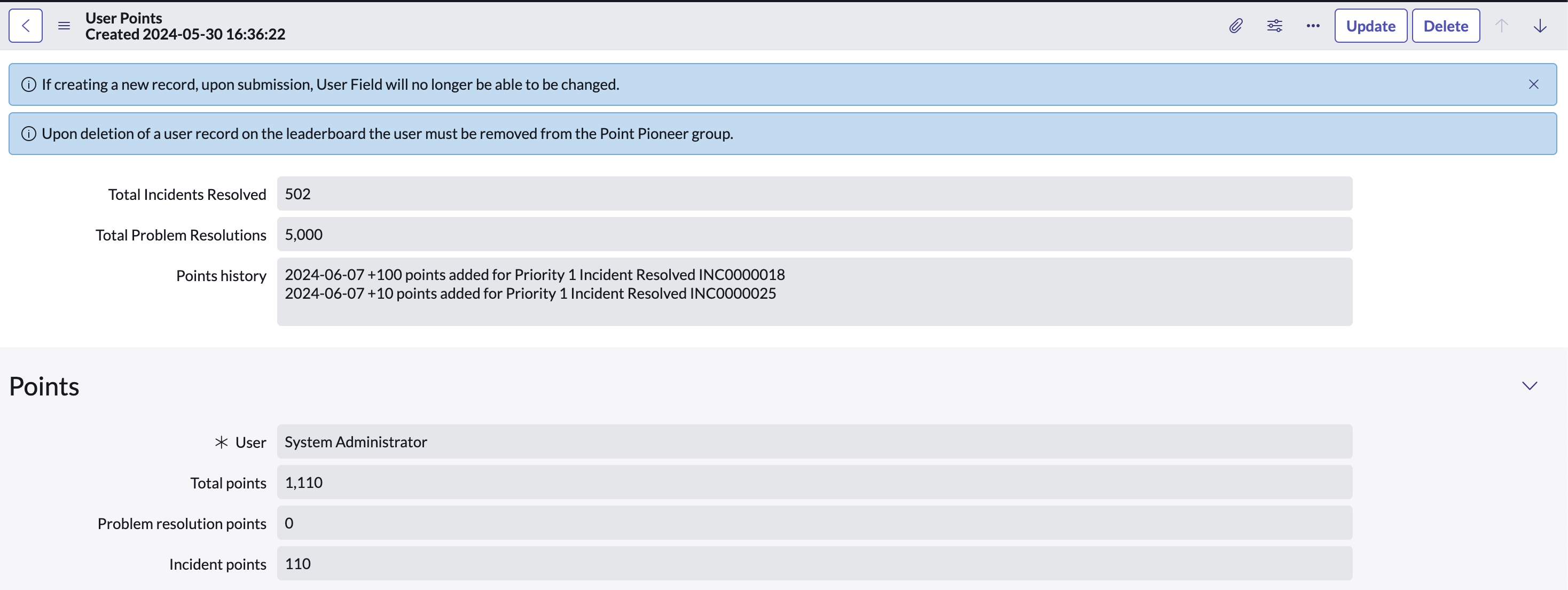
Leaderboard Form
Badges and Achievements Table
Description: This table stores the badge records for each user once they meet a badge threshold (earning certain amount of incident resolutions, etc). Badge records are created automatically through scheduled script execution which checks each user's leaderboard record and compares points fields (incident, problem, total points) to the required points needed to earn a badge. User badge records from this table are displayed as widgets on the Point PI homepage through server side Javascript, HTML/CSS, and Angular.
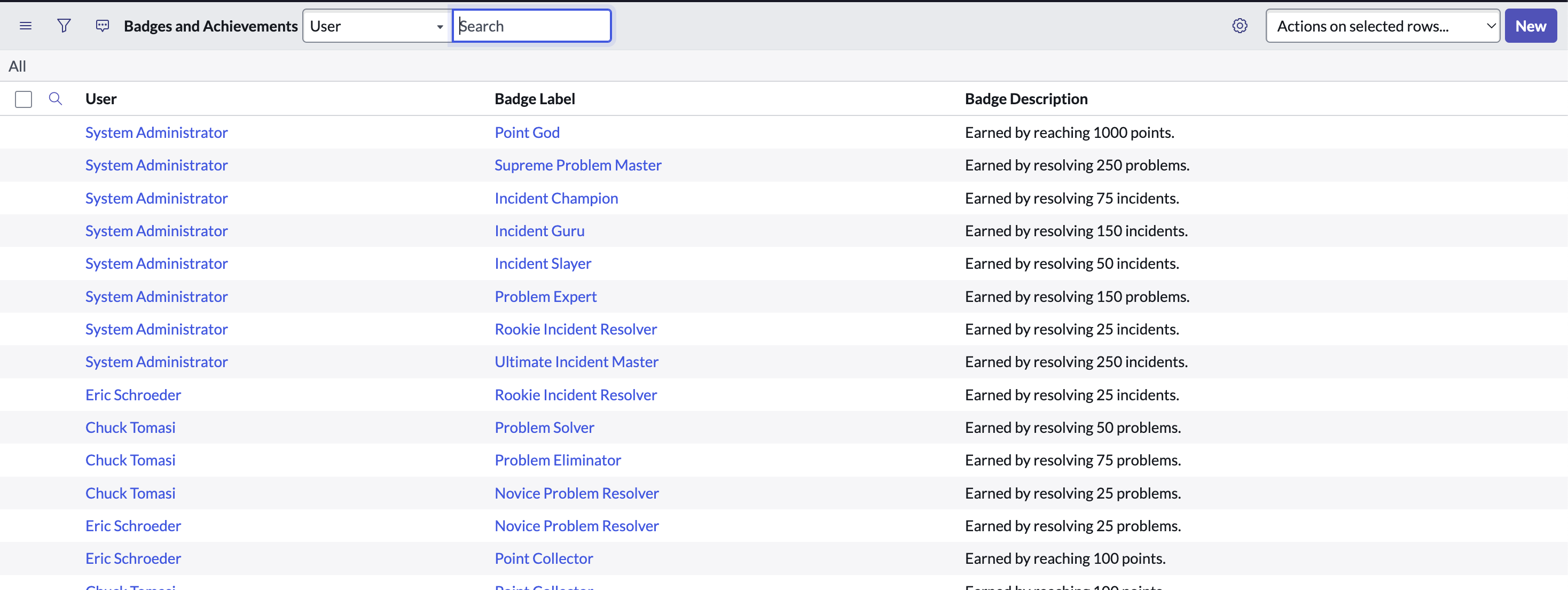
Badge Record Examples
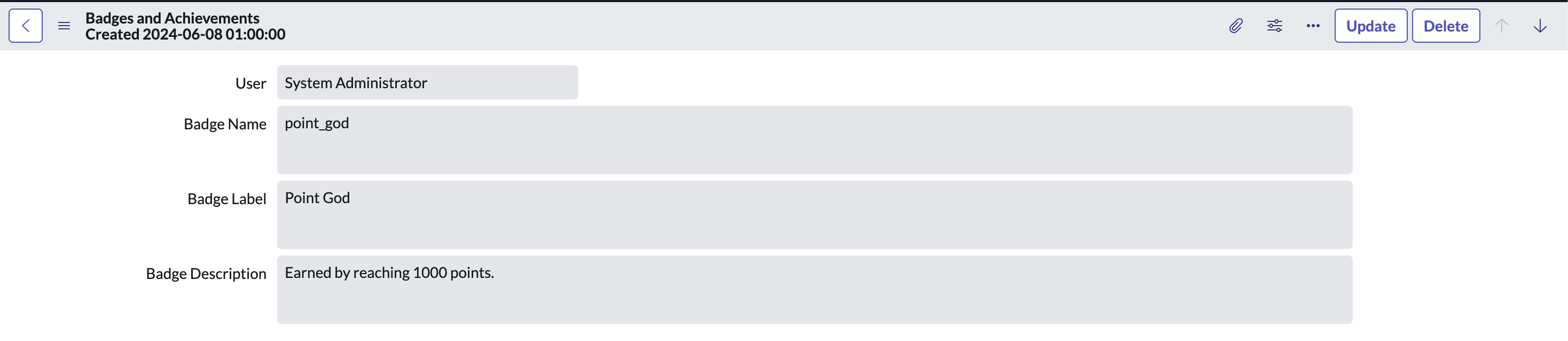
Badge Form
Request Table
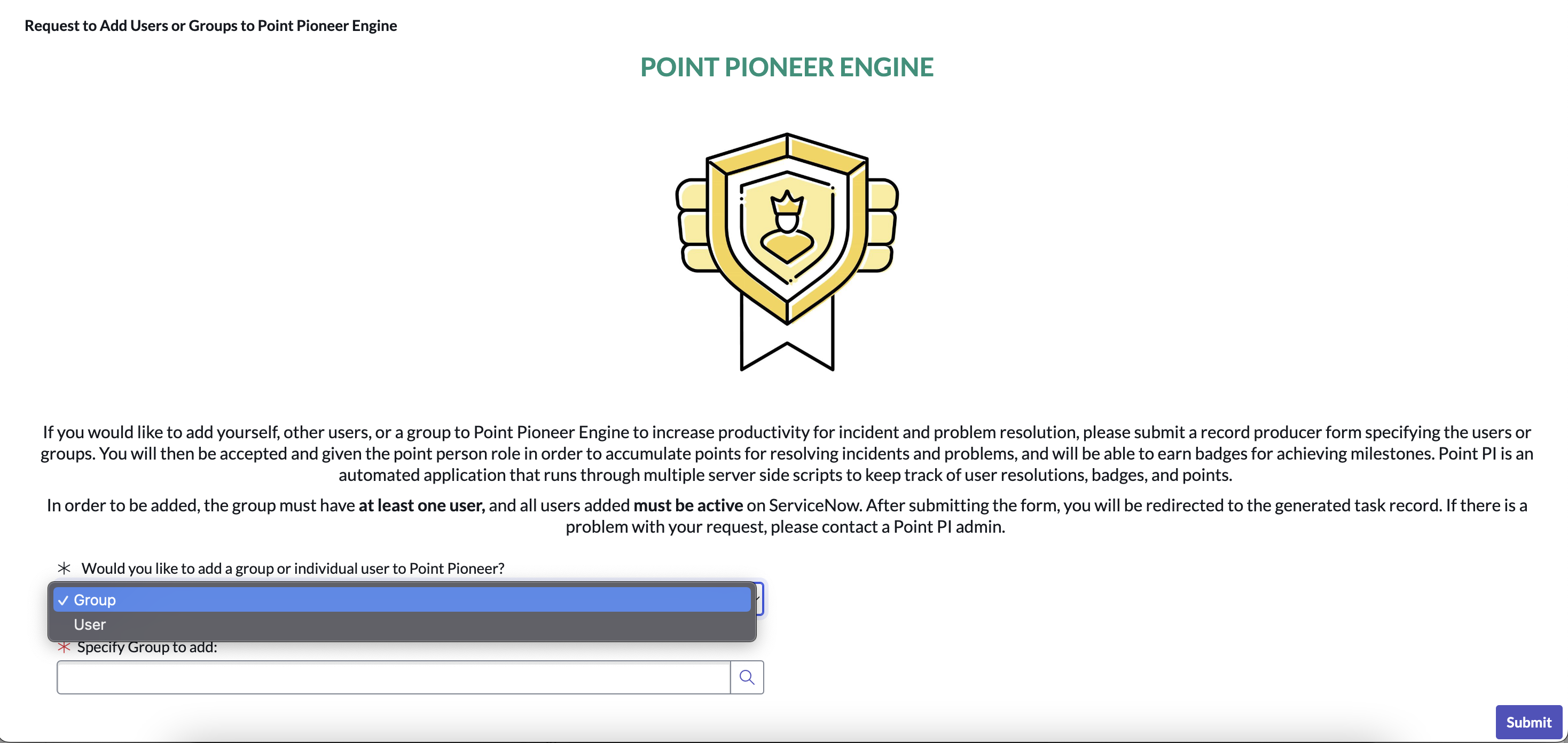
Description: This table's forms are created by the Record Producer to automatically add users and groups to Point PI. Once the record producer adds a record to the table, a business rule checks to see if the user or users within the groups are active or already added to the application. If not, they are added to the Point PI group and new records are created for them on the leaderboard table. If a group is empty or a user is inactive, the request is denied. Users can view the history and status of their requests through this table.
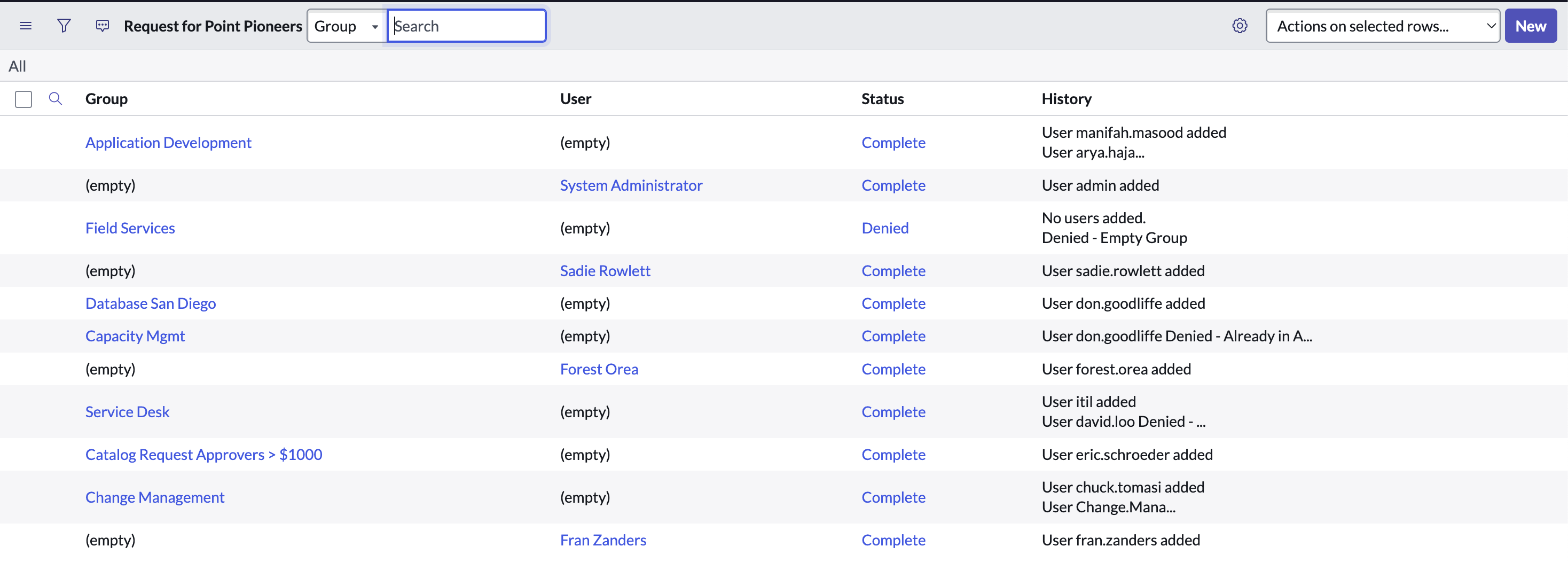
Request Record Examples
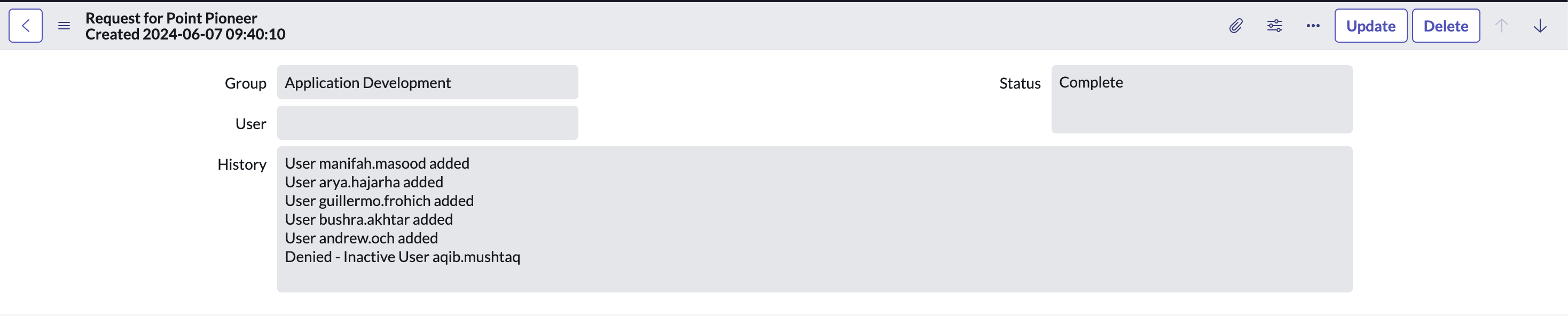
Request Form
Badge Threshold Table
Description: This table is configured through scripts to allow admins of Point PI to dynamically change badge names, images, required resolutions or points needed to earn badges without having to edit any server side scripts. Values from this table are passed to a script include, which is called in other server side scripts to automatically update badge names and descriptions. Admins also have permissions to create new badges or delete existing badges. This table allows the Point PI app to be used and configured by users without scripting at all.
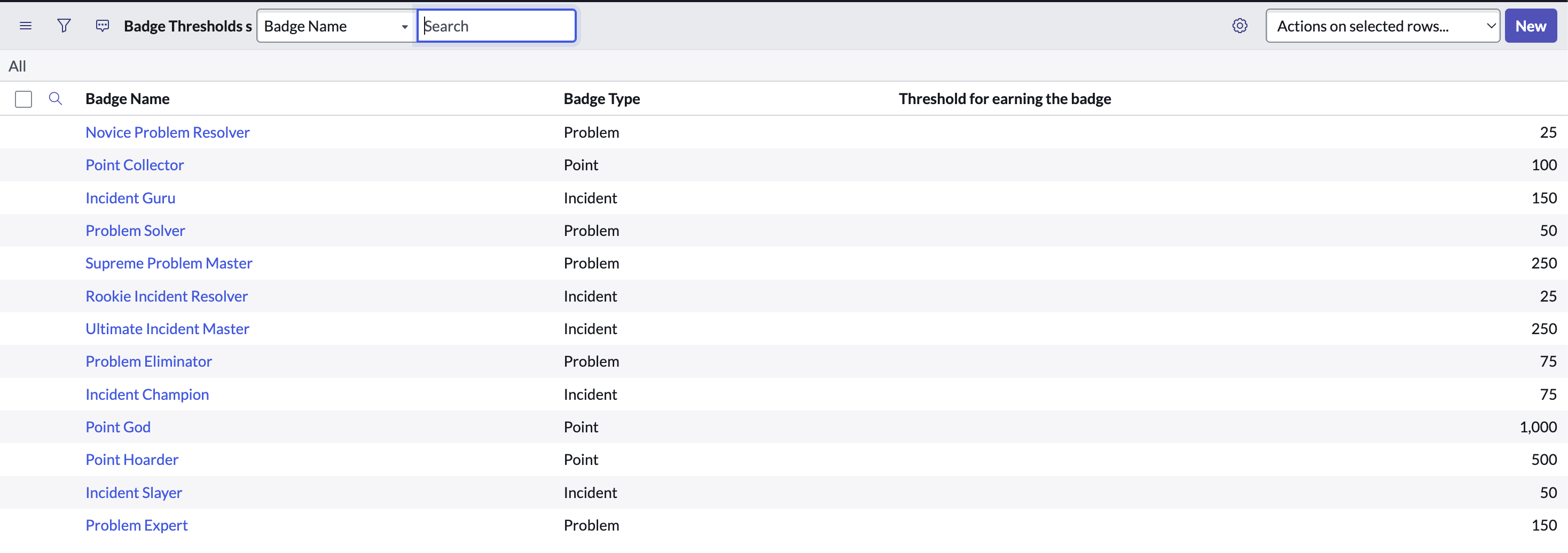
Badge Threshold Examples
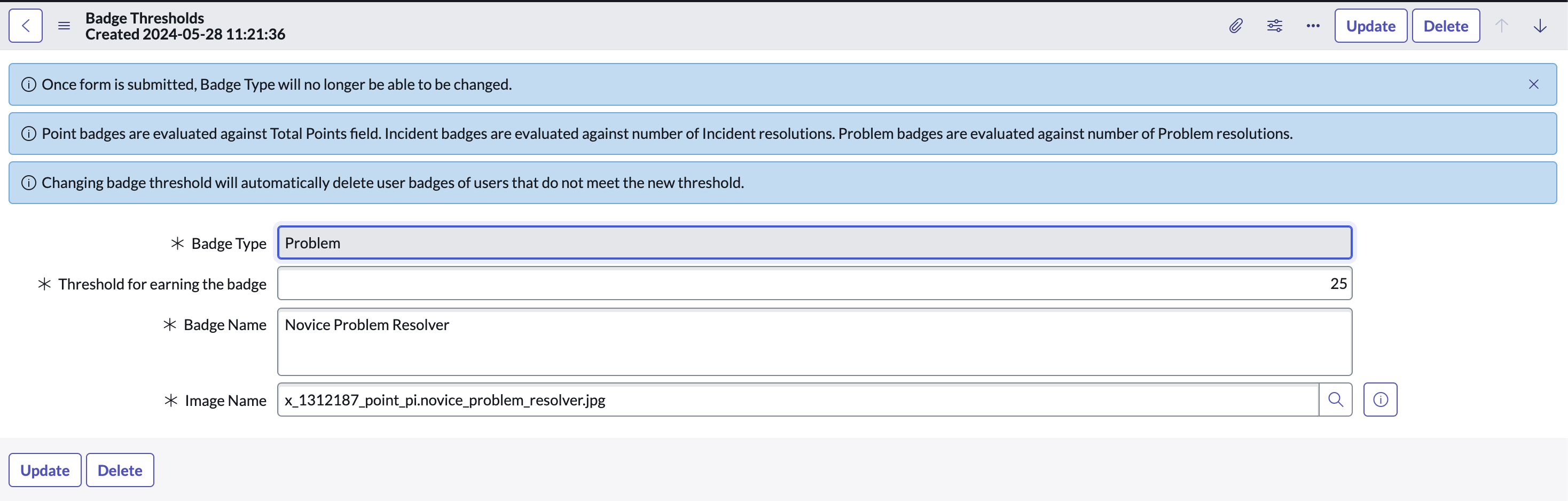
Badge Threshold Form
Point Award Values Table
Description: This table stores the point award values for resolving incident and problems. Existing records make up the point values for resolving each priority type of incidents and problems. This allows admins of Point PI to quickly change the point values that are awarded to users of the app without having to change any server-side scripts. The records in this table are passed to the point calculator script includes which are called whenever a user of the app resolves an incident or problem.
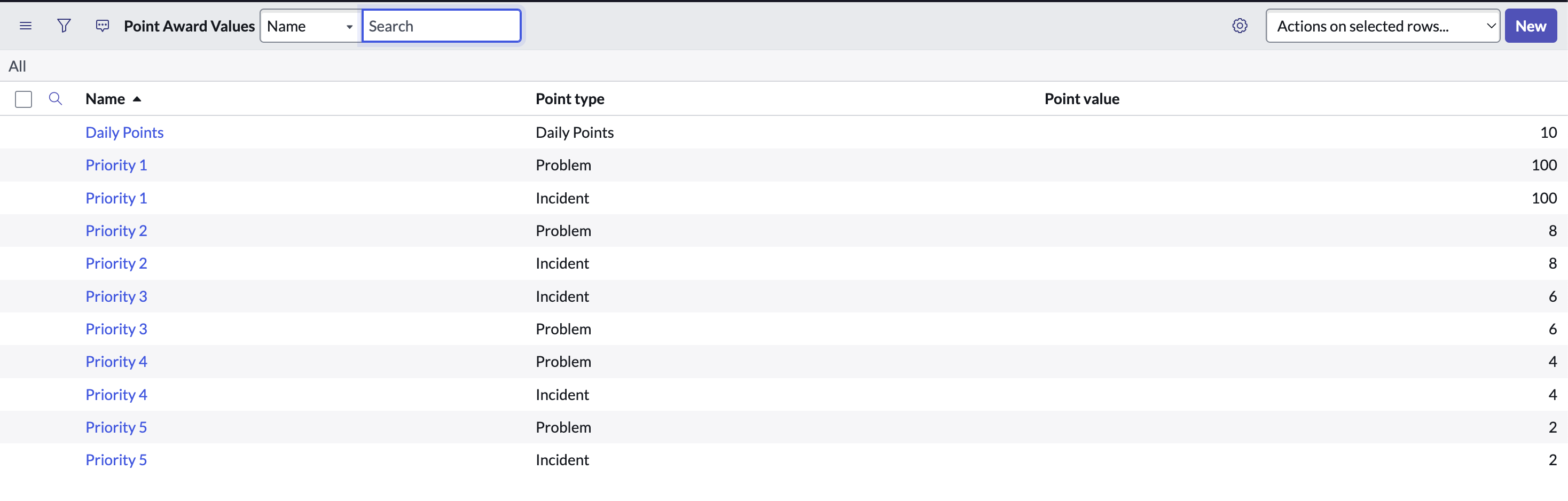
Point Award Table Examples

Point Award Form
ServiceNow Scripts
Server Side Scripts
Automate Add Users and Groups to Point PI
Short Description: This business rule watches the Request Table and checks whether the users or groups requested to be added are active, already in the Point PI app, or empty. Then, GlideRecord is used if a user passes the checks to create a new leaderboard record for the user and the user is added to the Point PI group.
Evaluate Badges Scheduled Script
Short Description: This script executes every hour and checks the leaderboard table against the threshold values of the badge threshold table, to see which users need to have new badges created. If a user doesn't have the badge already and passes the check, the user's info is passed to a script include which creates a new badge record for the specific badge and notifies the user through an event notification.
Update Names and Thresholds of Existing Badges Upon Changes to Table
Short Description: This business rule executes when a badge threshold record is updated. It checks if the name of the badge or the threshold has changed. If so, all existing badge records on the badges and achievements table are changed to the new name, and any badges that don't meet the new updated threshold are deleted.
Script Includes
PointCalculator
Short Description: This script include calculates points based on incident and problem priority, taking the correct point award values from the point award table, and updates the user's leaderboard record accordingly.
CreateBadges
Short Description: This script include is called through scheduled script execution, and creates a new badge on the badges and achievements table for the user being passed into the function. It also triggers an email notification through an event.
BadgesObject
Short Description: This script include pulls the current information for every existing badge on the badge threshold table to pass to other server side scripts. Functions in this script include are called in scripts for widgets, scheduled script execution, and business rules so that badge names and info are always updated.
Badge Widget Script
Short Description: This script include contains the functions for every widget on the Point PI homepage. Retrieved values are passed from the functions to the corresponding server-side widget script and HTML/Angular.
Record Producer
Record Producer - Add Users/Groups Automatically
Short Description: This record producer script creates new records on the request table for users/groups to be automatically added to Point PI through business rule. The script checks if the group is already added or if the individual user is already added, if so, the creation of the task record is cancelled.
Main Widgets
Awarded Badges Widget
Short Description: This widget displays the badges a user has earned on the Point PI homepage. The names and descriptions of the badges are taken from the BadgesObject script include so they are always current. The script checks the badges and achievements table to see which badge records, if any, the user has achieved.

REST API Random Quote Widget
Short Description: This widget uses REST API Outbound Request to display a random quote on the Point PI homepage.
